English · Русский · Українська · Español · Português · Deutsch · Français · Italiano · Türkçe · Polski · Čeština · 한국어 · 日本語 · 中文 · हिन्दी · Tiếng Việt · Bahasa Indonesia · ไทย · Basa Jawa · Bahasa Melayu · বাংলা · العربية
Wallpapers by Mijuru — desktop app for Linux
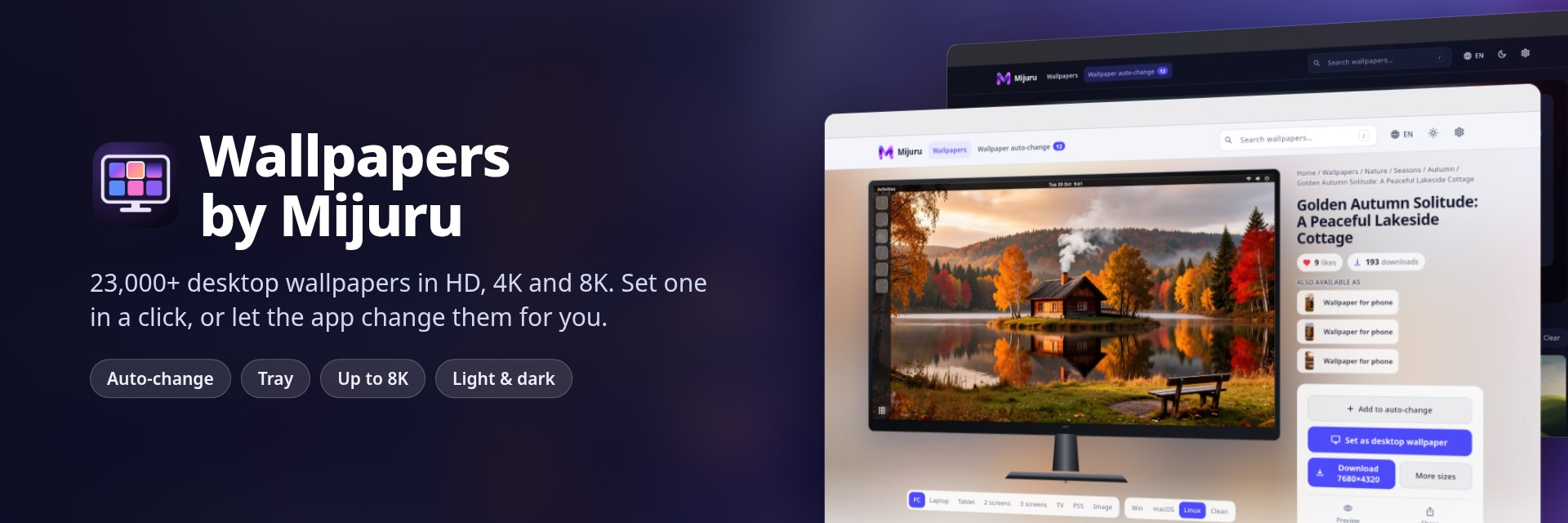
Thousands of HD, 4K and 8K wallpapers from mijuru.com on your desktop. Set one in a single click, or let the app change them on a schedule.

Snap Store · App page on mijuru.com · Report a problem
This repository holds the user documentation and the issue tracker for the app. The app is free; its source code is not public.
Contents
Features
Gallery
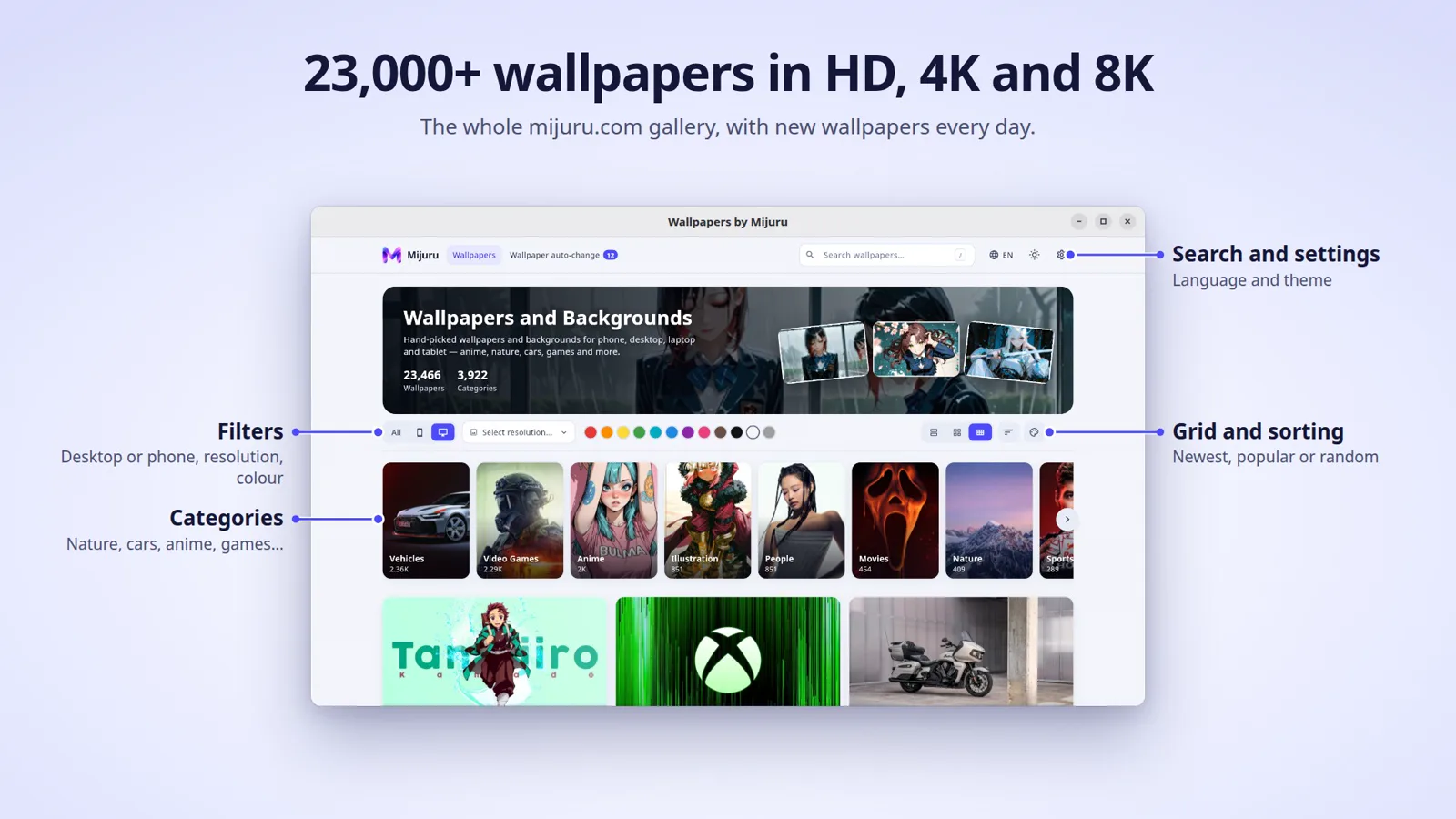
- The whole mijuru.com catalogue: browse by category, or sort by newest, most popular or random.
- Filters: orientation (phones, or desktop/laptop/tablet), resolution (including For My Screen), colour and colour style.
- Live search over tags and categories. Press
/ to search, Esc to close.
- One, two or three columns for desktop wallpapers.
Wallpaper page
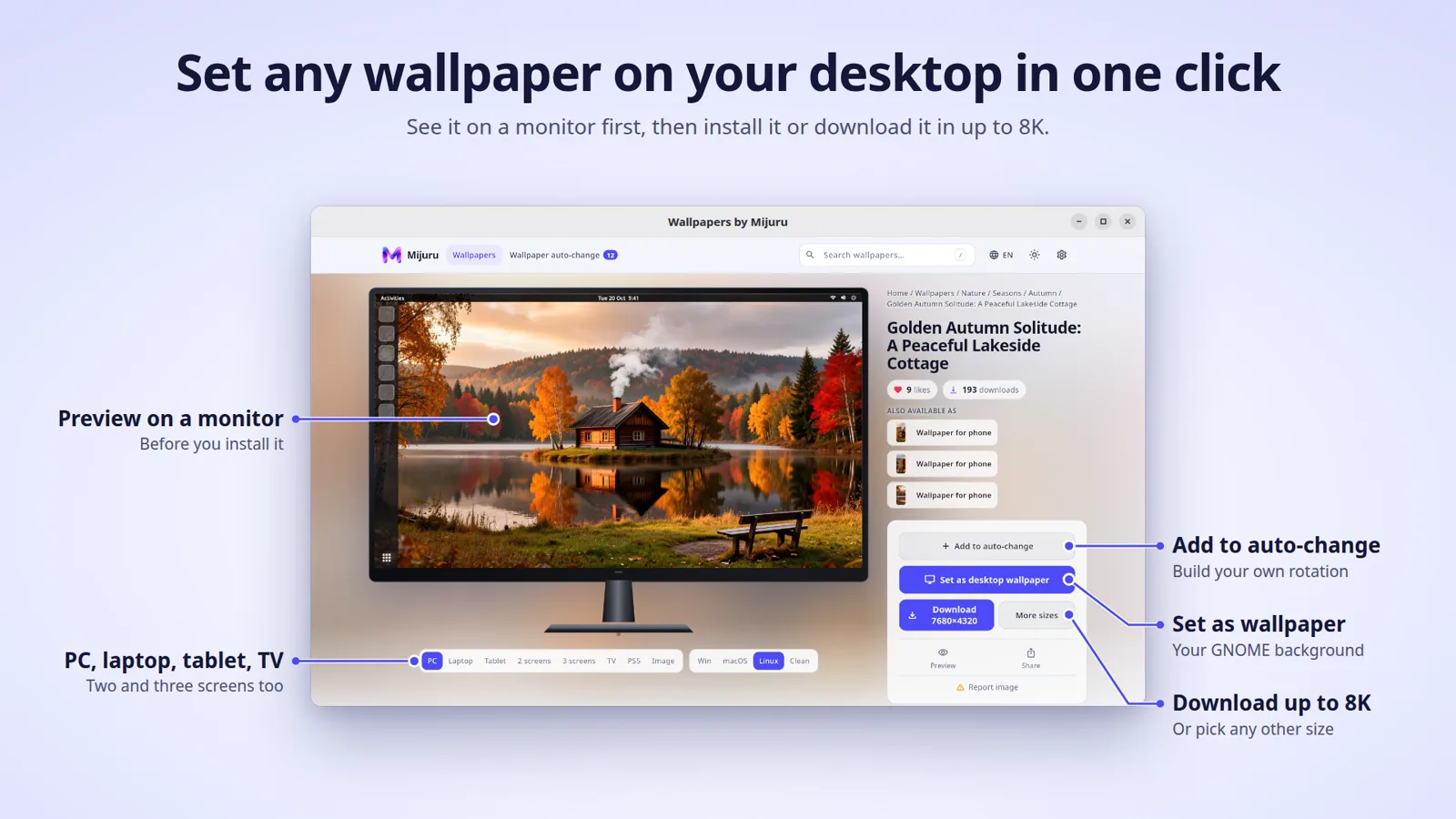
- Preview the wallpaper on a PC, laptop, tablet, two or three screens, a TV, or a phone lock/home screen.
- Similar wallpapers and an endless “Up next” feed.
- Likes, downloads, colours and tags. Click a tag or colour to see more like it.
Set and download
- Set as desktop wallpaper in one click.
- Download any size, up to 8K, grouped by aspect ratio (16:9, 16:10, 21:9, 32:9, 48:9, 4:3, 9:16 and more). Files go to your
Downloads folder, and Show in folder opens it.
Auto-change (playlist)
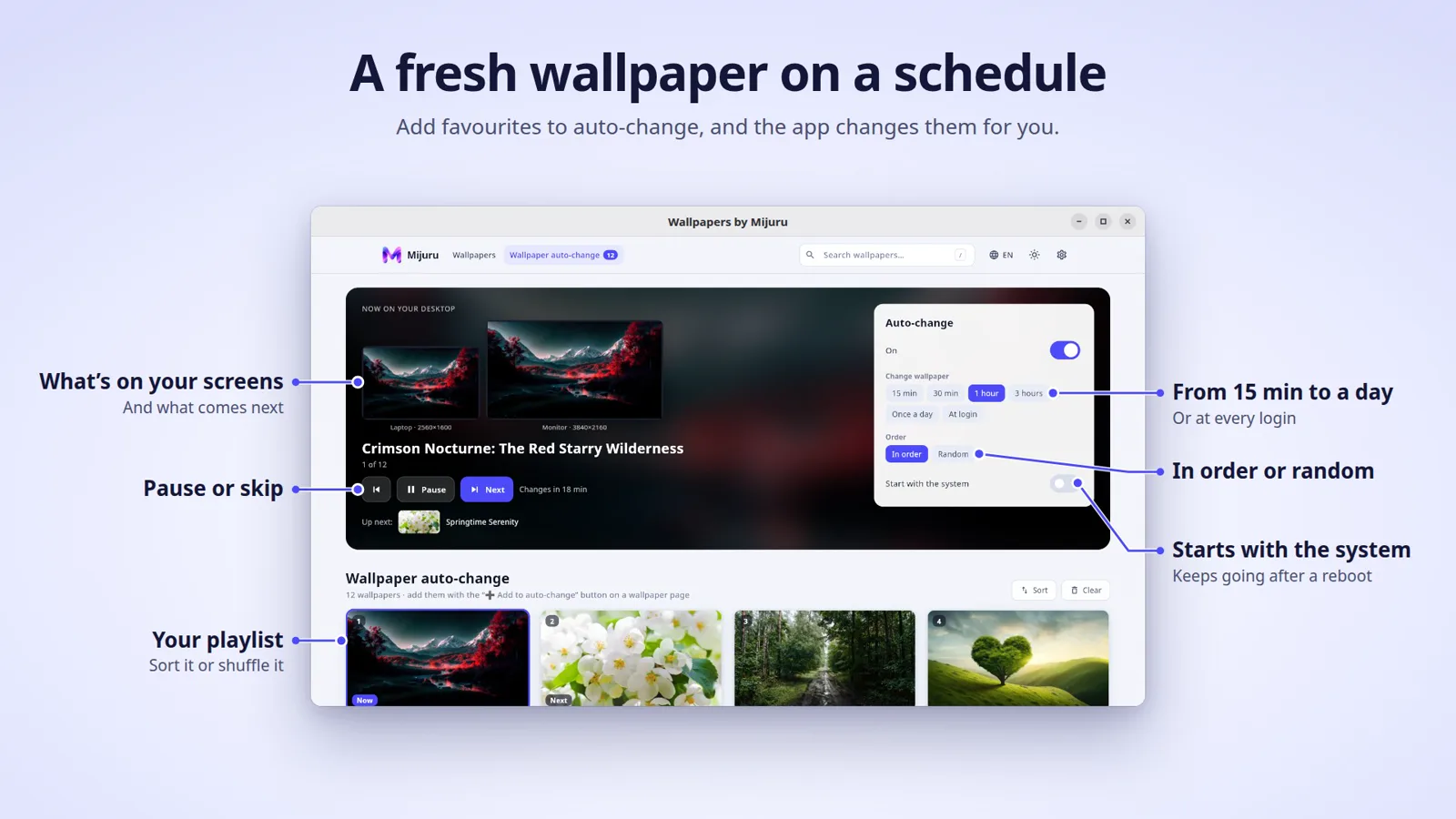
- Add wallpapers you like to the playlist.
- Change every 15 min, 30 min, 1 hour, 3 hours, once a day (at midnight), or at each login.
- Play them in order or at random. Random mode won’t repeat any of the last 10.
- Previous / Next / Pause / Set now. Reorder by dragging, sort, shuffle.
- After the computer sleeps, the wallpaper changes once instead of catching up on every missed change.
Desktop integration
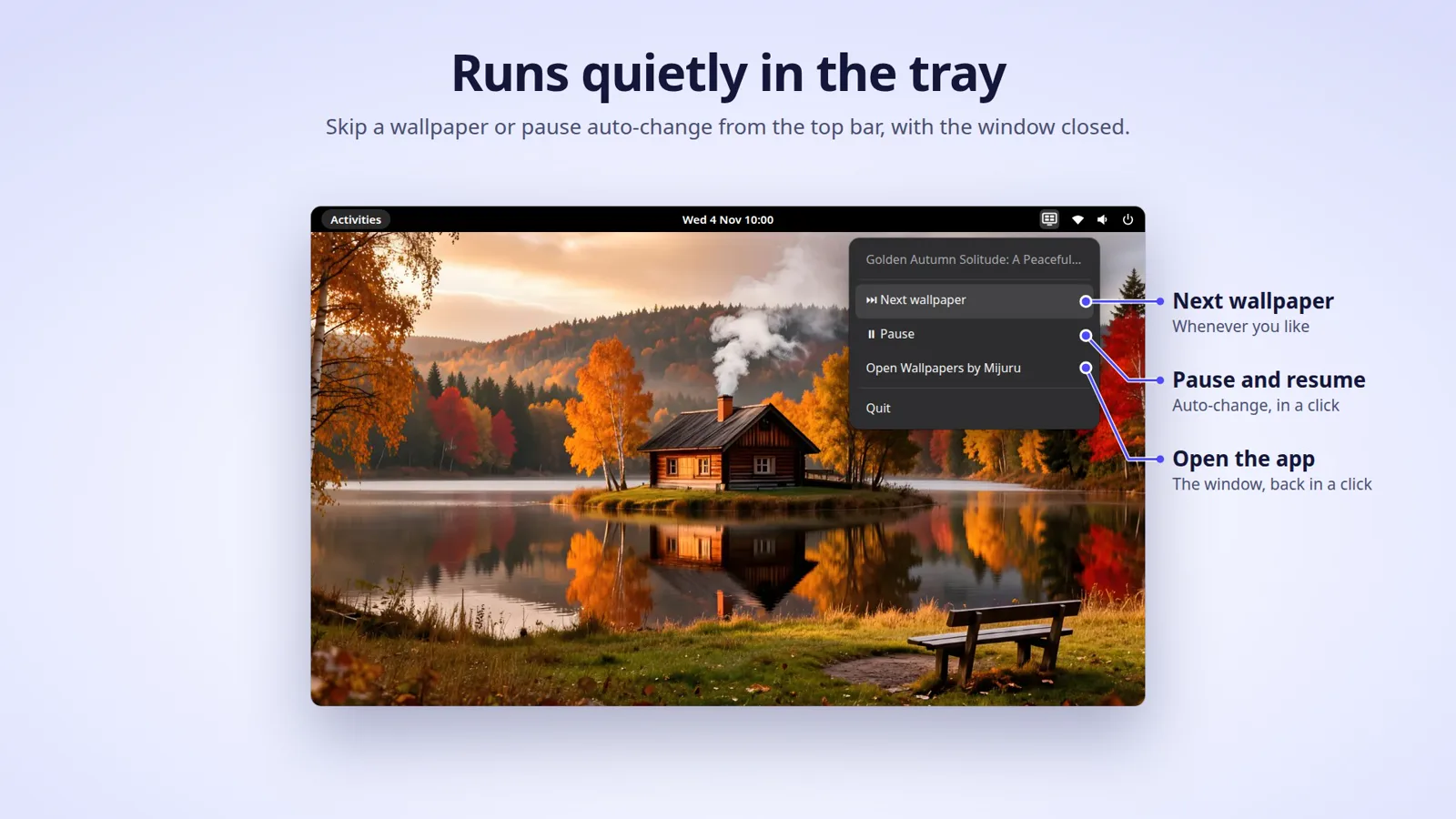
- Tray icon with Next wallpaper, Pause/Resume, Open and Quit.
- Start with the system, hidden in the tray.
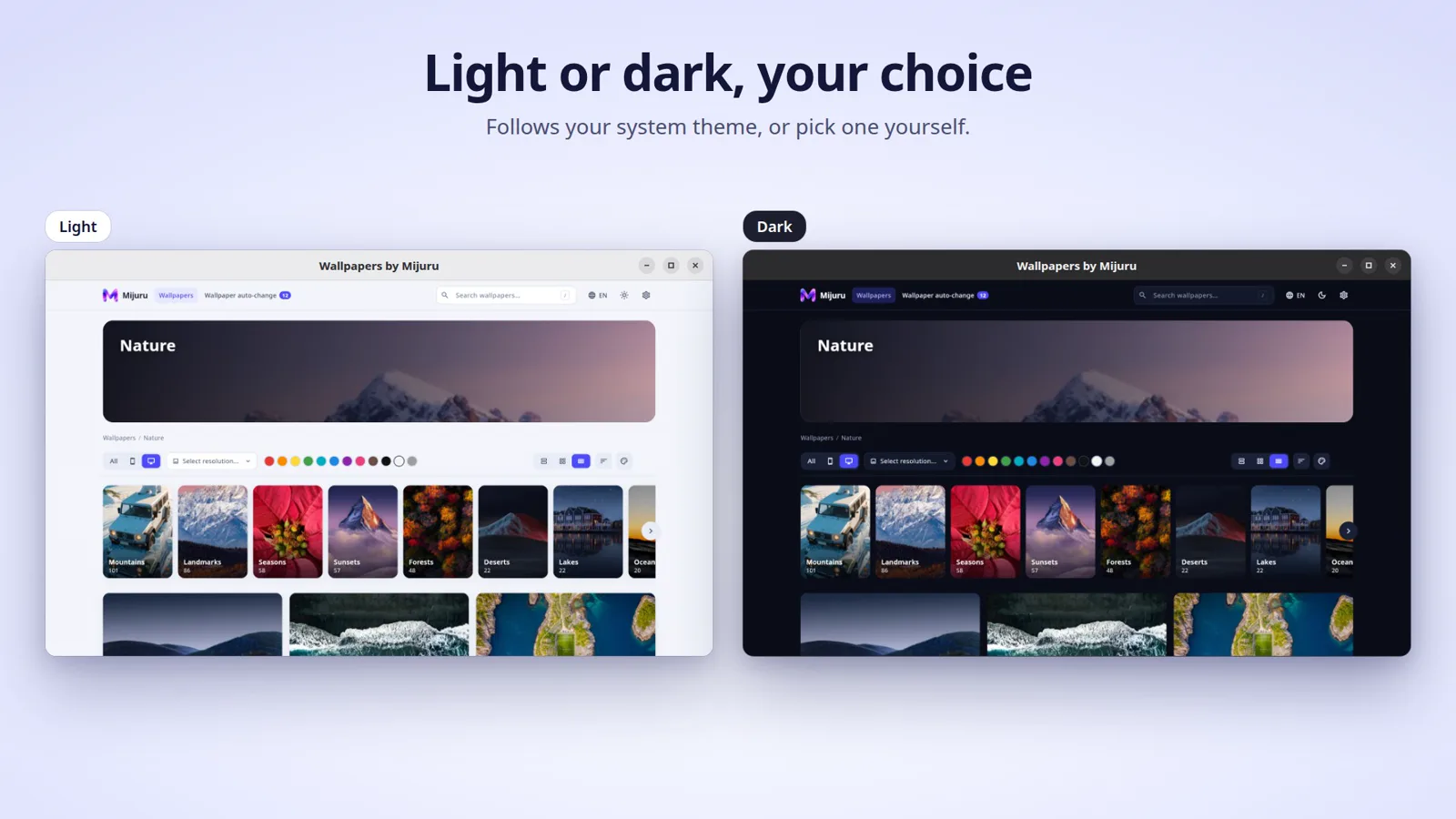
- Light, dark or system theme.
- Interface in 22 languages.
Requirements and compatibility
- Linux, x86-64 (amd64)
- Screen at least 1100 px wide
- Internet connection, to browse the catalogue
Which desktops can set the wallpaper:
| Desktop environment |
Snap |
Flatpak (coming soon) |
| GNOME 42+ (incl. Ubuntu) |
✅ Set · ✅ Browse & download |
✅ Set · ✅ Browse & download |
| KDE Plasma |
❌ Set · ✅ Browse & download |
✅ Set, via the system dialog · ✅ Browse & download |
| Cinnamon, Xfce, others |
❌ Set · ✅ Browse & download |
⚠️ Depends on the desktop’s wallpaper portal · ✅ Browse & download |
On desktops where the app can’t set the wallpaper, the Set button says “This desktop environment is not supported yet”. You can still download any wallpaper and set it in your system settings.
Planned: Windows and macOS.
Install
Snap Store (recommended)
sudo snap install wallpapers-by-mijuru
Or search for Wallpapers by Mijuru in Ubuntu App Center / Snap Store.
Flathub
Coming soon. The app ID will be com.mijuru.mijuru_desktop.
Start minimised to the tray
wallpapers-by-mijuru --hidden
Getting started
- Find a wallpaper. Open a category, use the filters, or press
/ and type, for example, mountains.
- Set it. On the wallpaper page, click Set as desktop wallpaper. To use a particular size, pick it first.
- Build a playlist. Click Add to auto-change on every wallpaper you like.
- Turn on auto-change. Open the playlist and choose an interval and an order (in order or random).
- Let it run in the background. With auto-change on, closing the window hides the app to the tray. Turn on Start with the system so the playlist keeps going after a restart.
FAQ
Is it free?
Yes. No ads, no account, no subscriptions.
Do I need an account?
No. Your playlist and settings stay on your computer.
Can I use the wallpapers commercially?
No. Wallpapers from mijuru.com are free for personal use only. Resale and commercial use are not allowed.
Does it work on KDE, Xfce or Cinnamon?
In the Snap version you can browse and download, but not set the wallpaper. The Flatpak version (coming soon) sets it through the system wallpaper portal, which works on KDE. On other desktops, download the wallpaper and set it in your system settings.
Can I have a different wallpaper on each monitor?
Not yet. The same image goes on every monitor, scaled to fill. For ultrawide or multi-monitor setups you can download 32:9 or 48:9 sizes.
Can auto-change pick from a whole category?
Not yet. Auto-change uses only the wallpapers you added to your playlist.
Why did the app quit when I closed the window?
The app stays in the tray only while auto-change is running: auto-change is on, the playlist is not empty, and your desktop is supported. Otherwise closing the window quits the app.
Does auto-change work offline?
Partly. Wallpapers already saved on your computer can still be shown. If the next one isn't saved yet, the app shows *"No connection — will retry later"* and tries again.
Where are downloaded files saved?
In your `Downloads` folder, as `-x.`. If a file with that name already exists, the app adds `(2)`, `(3)` and so on.
</details>
Is there a version for Windows or macOS?
Both are planned. Watch this repository, or check [mijuru.com/desktop-app](https://mijuru.com/desktop-app), for news.
Which languages are supported?
22: English, Русский, Українська, Español, Português, Deutsch, Français, Italiano, Türkçe, Polski, Čeština, 한국어, 日本語, 中文, हिन्दी, Tiếng Việt, Bahasa Indonesia, ไทย, Basa Jawa, Bahasa Melayu, বাংলা, العربية. You can change it in **Settings → Language**.